|
GIF MINITASKS PROJECT

INSTRUCTIONS
- You must create your own GIF animations. You can follow the provided ideas or
come up with your own.
- Your goal is to earn a total of at least 15 points
(level 4). Details below.
- Your GIF animations are to be placed in a Google
Slides document. One per slide.
- Your mark depends on the number of points you’ve
earned, the quality of your work and the quality of your document.
HOW TO PUT A GIF
ANIMATION INTO A SLIDES DOCUMENT
- This is easy.
- In Piskel, on the right, click
the Export button (mountain and sun icon).
- Choose the Scale you want. The value 10X is usually a good one.
- Click the Download button to download as an animated
GIF.
- Open Google Slides and go to the slide where you
want your animation.
- Choose Insert > Image and find the image you just
downloaded. (Note that on Windows
machines, you can also simply drag the animation from the downloads menu
onto your slide.)
GOOGLE SLIDE DOCUMENT
EXPECTATIONS
- Your document should have a title slide with your
name and the project’s name (GIF Animations in Piskel). An animated title is always a nice
touch for this project!
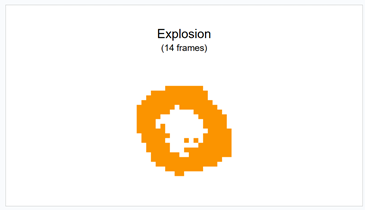
- Each animation should be on its own slide (see
below) that contains:
- A title
- An animation (well placed and sized)
- A frame count for the animation
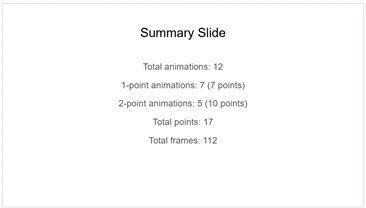
- You should have a Summary Slide that lists the total
number of animation points as well as the total number of frames in your animations.
See image below.
- You are encouraged to use a
Google Slides theme or add some form of décor to your document to make
it look more polished.
- Make sure to avoid spelling errors.

|